
Help posting an image
-
Elana

- Site Admin

- Posts: 1083
- Joined: Sat Jan 27, 2018 11:04 am
- Gender:
Re: Help posting an image
Considering that I see that you posted some images, I guess the problem solved itself
Protect freedom of Expression!
Stand against all censors and self proclaimed morale apostles
Stand against all censors and self proclaimed morale apostles
-
xerces_blue
- Shrink Apprentice

- Posts: 5
- Joined: Wed Oct 29, 2025 2:05 am
- Gender:
-
Elana
- Site Admin
- Posts: 1083
- Joined: Sat Jan 27, 2018 11:04 am
- Gender:
Re: Help posting an image
And what is the problem?
You have more than 0 posts, so just clicking on the "add image to post" link below the text entry field should work just fine
You have more than 0 posts, so just clicking on the "add image to post" link below the text entry field should work just fine
Protect freedom of Expression!
Stand against all censors and self proclaimed morale apostles
Stand against all censors and self proclaimed morale apostles
-
Hug0
- Shrink Adept

- Posts: 64
- Joined: Sat Nov 29, 2025 3:13 am
- Location: The Americas
- Gender:
-
Hand-Holder

- Shrink Grand Master

- Posts: 2745
- Joined: Mon Nov 30, 2020 3:41 pm
- Location: Lisbon
Re: Help posting an image
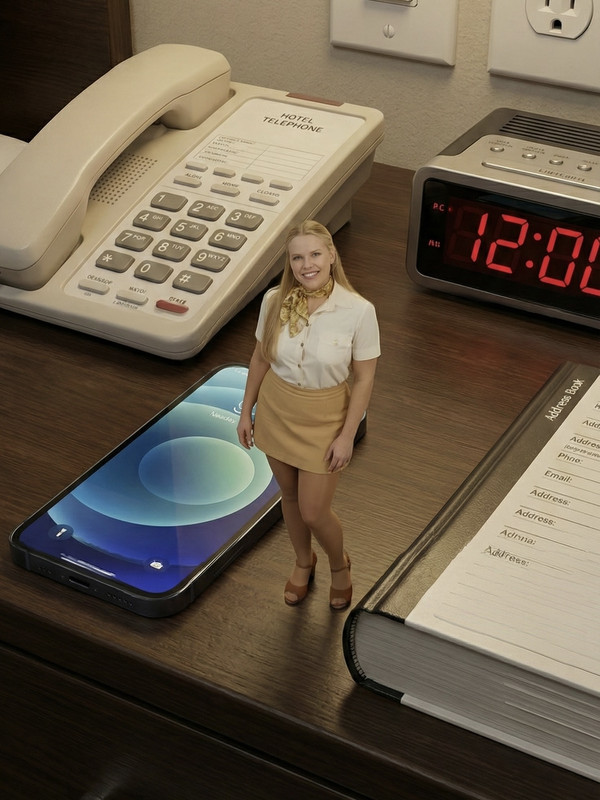
works, now we want a redhead, thanks for sharing
My works are 100% free - Send a 1$ thanks - https://www.paypal.com/donate/?hosted_b ... 5B8X9XP5VW
-
Hug0
- Shrink Adept
- Posts: 64
- Joined: Sat Nov 29, 2025 3:13 am
- Location: The Americas
- Gender:
Re: Help posting an image
I can't see some of my post images for some reason.
I just started a Deviant Art account a few days just in case anyone want to see more of my creations.
Thanks.
https://www.deviantart.com/hug0ai
I just started a Deviant Art account a few days just in case anyone want to see more of my creations.
Thanks.
https://www.deviantart.com/hug0ai
-
Hand-Holder
- Shrink Grand Master
- Posts: 2745
- Joined: Mon Nov 30, 2020 3:41 pm
- Location: Lisbon
Re: Help posting an image
Im sneaking in, very good works you got thereHug0 wrote: ↑Thu Dec 04, 2025 3:04 pmI can't see some of my post images for some reason.
I just started a Deviant Art account a few days just in case anyone want to see more of my creations.
Thanks.
https://www.deviantart.com/hug0ai
My works are 100% free - Send a 1$ thanks - https://www.paypal.com/donate/?hosted_b ... 5B8X9XP5VW
-
Hug0
- Shrink Adept
- Posts: 64
- Joined: Sat Nov 29, 2025 3:13 am
- Location: The Americas
- Gender:
Re: Help posting an image
Thanks! I've been a long time fan of your work, way back when you had your own webpage.Hand-Holder wrote: ↑Fri Dec 05, 2025 6:38 pmIm sneaking in, very good works you got thereHug0 wrote: ↑Thu Dec 04, 2025 3:04 pmI can't see some of my post images for some reason.
I just started a Deviant Art account a few days just in case anyone want to see more of my creations.
Thanks.
https://www.deviantart.com/hug0ai
-
Hand-Holder
- Shrink Grand Master
- Posts: 2745
- Joined: Mon Nov 30, 2020 3:41 pm
- Location: Lisbon
Re: Help posting an image
Thank you also, I´m now very excited with AI, let´s see where it takes me, CHEERSHug0 wrote: ↑Fri Dec 05, 2025 10:28 pmThanks! I've been a long time fan of your work, way back when you had your own webpage.Hand-Holder wrote: ↑Fri Dec 05, 2025 6:38 pmIm sneaking in, very good works you got thereHug0 wrote: ↑Thu Dec 04, 2025 3:04 pmI can't see some of my post images for some reason.
I just started a Deviant Art account a few days just in case anyone want to see more of my creations.
Thanks.
https://www.deviantart.com/hug0ai
My works are 100% free - Send a 1$ thanks - https://www.paypal.com/donate/?hosted_b ... 5B8X9XP5VW
-
blackbat
- Shrink Adept
- Posts: 81
- Joined: Tue Jan 30, 2018 10:36 pm
- Location: UK
Re: Help posting an image
Read this whole thread thinking I could get help but not answered it. I have been a member since January 2018 and this is my 17th post, bad I know, apologies.
I have tried over time to attach images to no avail and just noticed the postimages links, so tried posting some image replies in different threads and as an image or images upload, I get:
I want to contribute and reply to threads with stuff I have collected for two decades when someone asks about something they can't find but I can't share for some reason I cannot work out.
Also Elana, just saw your signature, I'm with you, the Online Safety Act in the UK has been a pain in the backside, thankful I always use a paid VPN that doesn't care about how I use it. There's talk from our Prime Minister, Keir Stamer, of wanting to ban VPNs because it's how to get around the Online Safety Act without giving your ID which could be stolen like the Discord UK hack recently that stole all the Online Safety Act ID data submitted to Discord from UK users. Banning VPNs is truly stupid because over 90% of their use, in the UK in particular, are for tech companies for security reasons which is one of our biggest sectors his government are trying to boost.
I have tried over time to attach images to no avail and just noticed the postimages links, so tried posting some image replies in different threads and as an image or images upload, I get:
Then after the uploading is finshed I get:Server came back with an unknown error
I have tested this in a private window in Firefox and incognito mode in Chrome, where both have no addons or extensions active. I even tried with my VPN set to Spain, thinking it might be the Online Safety Act I live under in the UK.Upload completed!
System error: result type not supported
I want to contribute and reply to threads with stuff I have collected for two decades when someone asks about something they can't find but I can't share for some reason I cannot work out.
Also Elana, just saw your signature, I'm with you, the Online Safety Act in the UK has been a pain in the backside, thankful I always use a paid VPN that doesn't care about how I use it. There's talk from our Prime Minister, Keir Stamer, of wanting to ban VPNs because it's how to get around the Online Safety Act without giving your ID which could be stolen like the Discord UK hack recently that stole all the Online Safety Act ID data submitted to Discord from UK users. Banning VPNs is truly stupid because over 90% of their use, in the UK in particular, are for tech companies for security reasons which is one of our biggest sectors his government are trying to boost.
SW Gentleman
-
Hand-Holder
- Shrink Grand Master
- Posts: 2745
- Joined: Mon Nov 30, 2020 3:41 pm
- Location: Lisbon
Re: Help posting an image
IS CHRISTMAS, LET´S BE HELPFULL !!!
Here goes, once and for all, step by step, image by image, my DUDES !!!
1 - First you select the image you want, as long it is online and publicly available
2 - Right click on it and select COPY IMAGE ADRESS

3 - When you create your post you click in there to post images

3b - If you are replying that option won´t show and you will have to click in here so it shows and you can click on it

4 - Either way, option 3 or option 3b, you than get this on the post text area

5 - Put your cursor right in the middle and select PASTE or the keys ((( Control + V ))) that will bring that address you copied in the beginning

Than save the post or the reply, EST VOILAAAAAAAAAAAAAAAAAAAAAAAAA

Here goes, once and for all, step by step, image by image, my DUDES !!!
1 - First you select the image you want, as long it is online and publicly available
2 - Right click on it and select COPY IMAGE ADRESS
3 - When you create your post you click in there to post images
3b - If you are replying that option won´t show and you will have to click in here so it shows and you can click on it
4 - Either way, option 3 or option 3b, you than get this on the post text area
5 - Put your cursor right in the middle and select PASTE or the keys ((( Control + V ))) that will bring that address you copied in the beginning
Than save the post or the reply, EST VOILAAAAAAAAAAAAAAAAAAAAAAAAA
My works are 100% free - Send a 1$ thanks - https://www.paypal.com/donate/?hosted_b ... 5B8X9XP5VW
-
blackbat
- Shrink Adept
- Posts: 81
- Joined: Tue Jan 30, 2018 10:36 pm
- Location: UK
Re: Help posting an image
Thank you, very helpful, I am aware of this too.Hand-Holder wrote: ↑Wed Dec 24, 2025 6:28 pmIS CHRISTMAS, LET´S BE HELPFULL !!!
Here goes, once and for all, step by step, image by image, my DUDES !!!
Than save the post or the reply, EST VOILAAAAAAAAAAAAAAAAAAAAAAAAA
[/img]
Oddly, I can put images in posts now, after my 17th post, very strange, I thought the setting for the forum was after a user made 2+ posts
SW Gentleman
-
Elana
- Site Admin
- Posts: 1083
- Joined: Sat Jan 27, 2018 11:04 am
- Gender:
Re: Help posting an image
It should work after the first post..so your second post should be able to have links in it.
Now the add image to post link at the bottom should open a window to a cloud server to post your images.
But as an external source I have no control over eventual outages it might have.
(or if postimage.org does work nice with all vpn solutions)
Now the add image to post link at the bottom should open a window to a cloud server to post your images.
But as an external source I have no control over eventual outages it might have.
(or if postimage.org does work nice with all vpn solutions)
Protect freedom of Expression!
Stand against all censors and self proclaimed morale apostles
Stand against all censors and self proclaimed morale apostles